GUIDE
How the webshop works
In eight steps we show you how to search, order, put together a quote and track your orders in the BM Energy webshop.
Prices and customer details in the images have been made unreadable. As soon as you sign in, you see your own prices.
Signing in and the range
Sign in at bmenergy.nl with your email address. Under Assortment you see all product groups: energy storage, solar panels, inverters, mounting materials, accessories and cabling, with the brands right below.
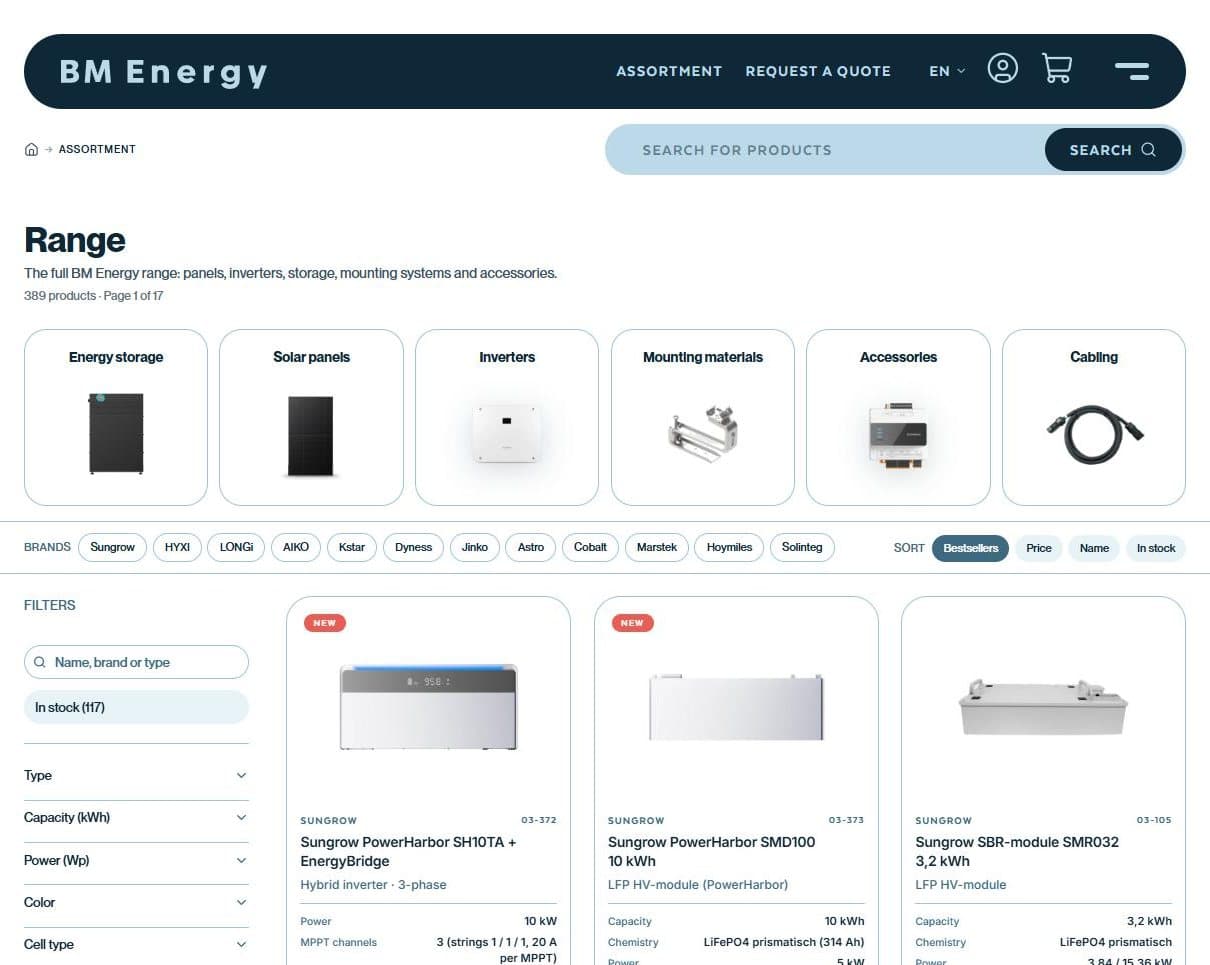
Product groups and brands in one overview Search, filter and compare
Filter each category by type, capacity or power, pick a brand or search by name, brand or item number. Every product card shows the key specifications, your net price and the button to order right away.
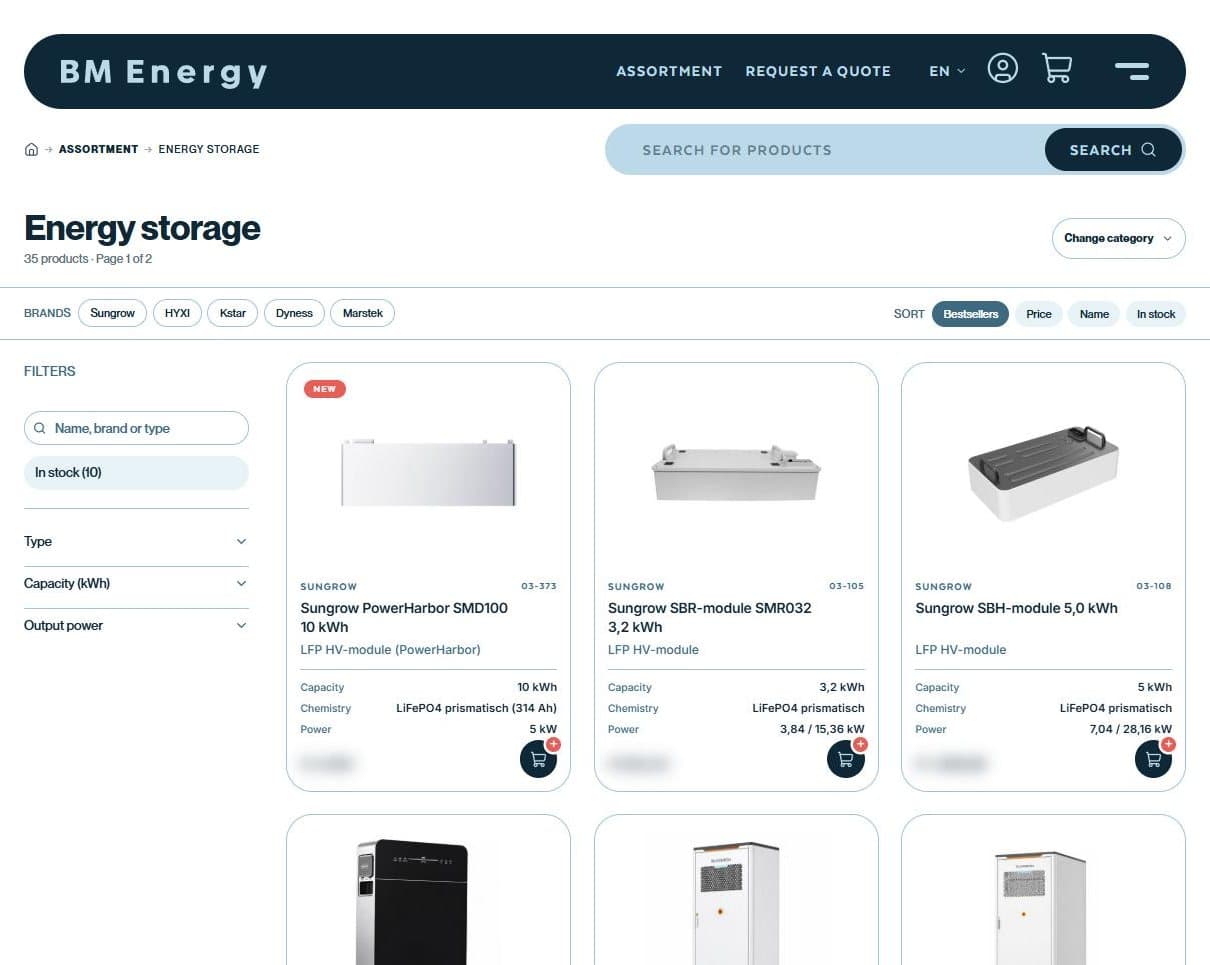
Filters on the left, brands and sorting at the top The product page
Here you see your net price per piece (excl. VAT), the availability or the expected week of delivery, products that work with it and all downloads: datasheets, manuals and certificates.
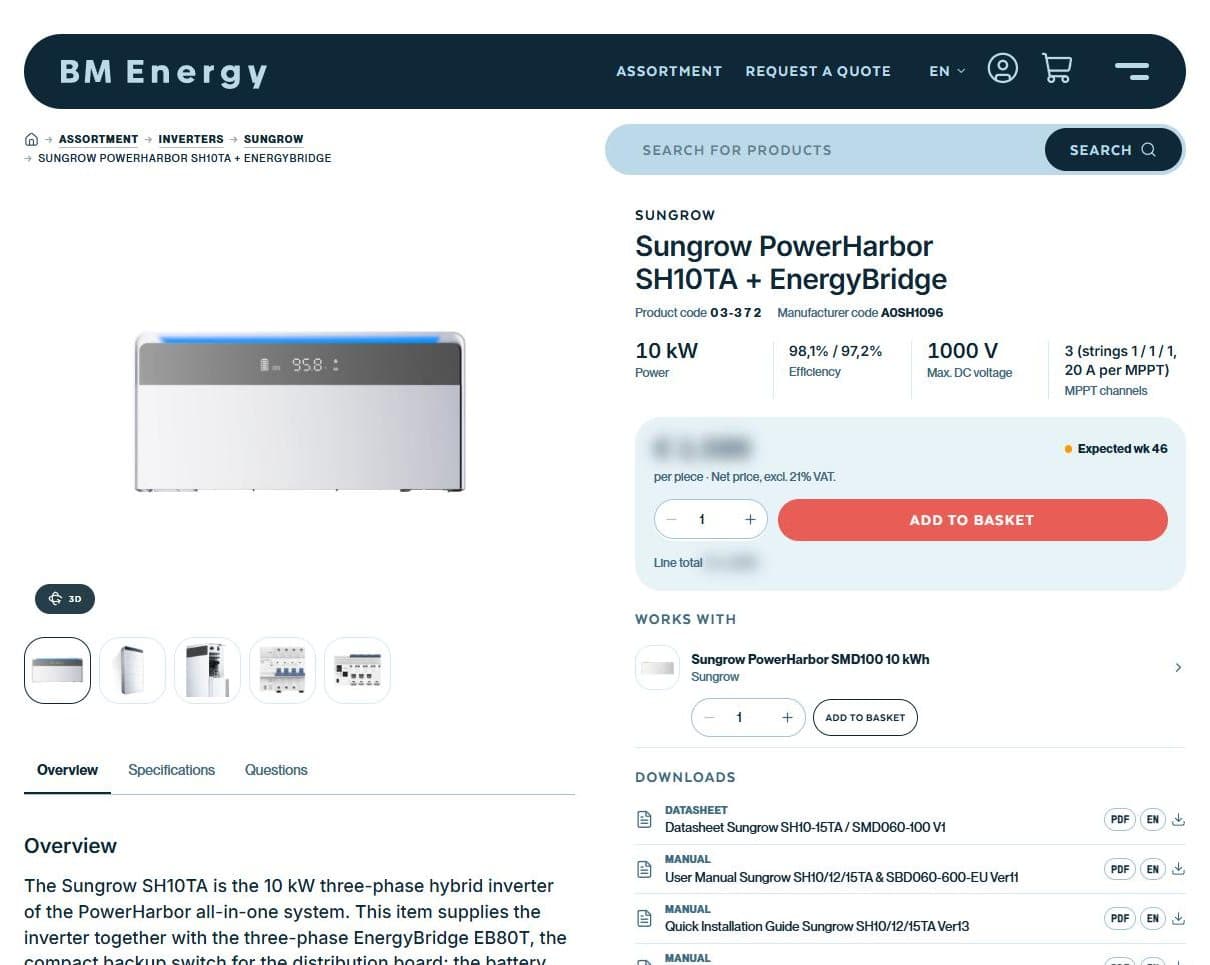
Price, availability, combinations and documentation Ordering
In the basket you can enter your own purchase reference and choose the delivery address. That reference appears on your order confirmation and invoice. After placing the order you receive a proforma invoice by email.
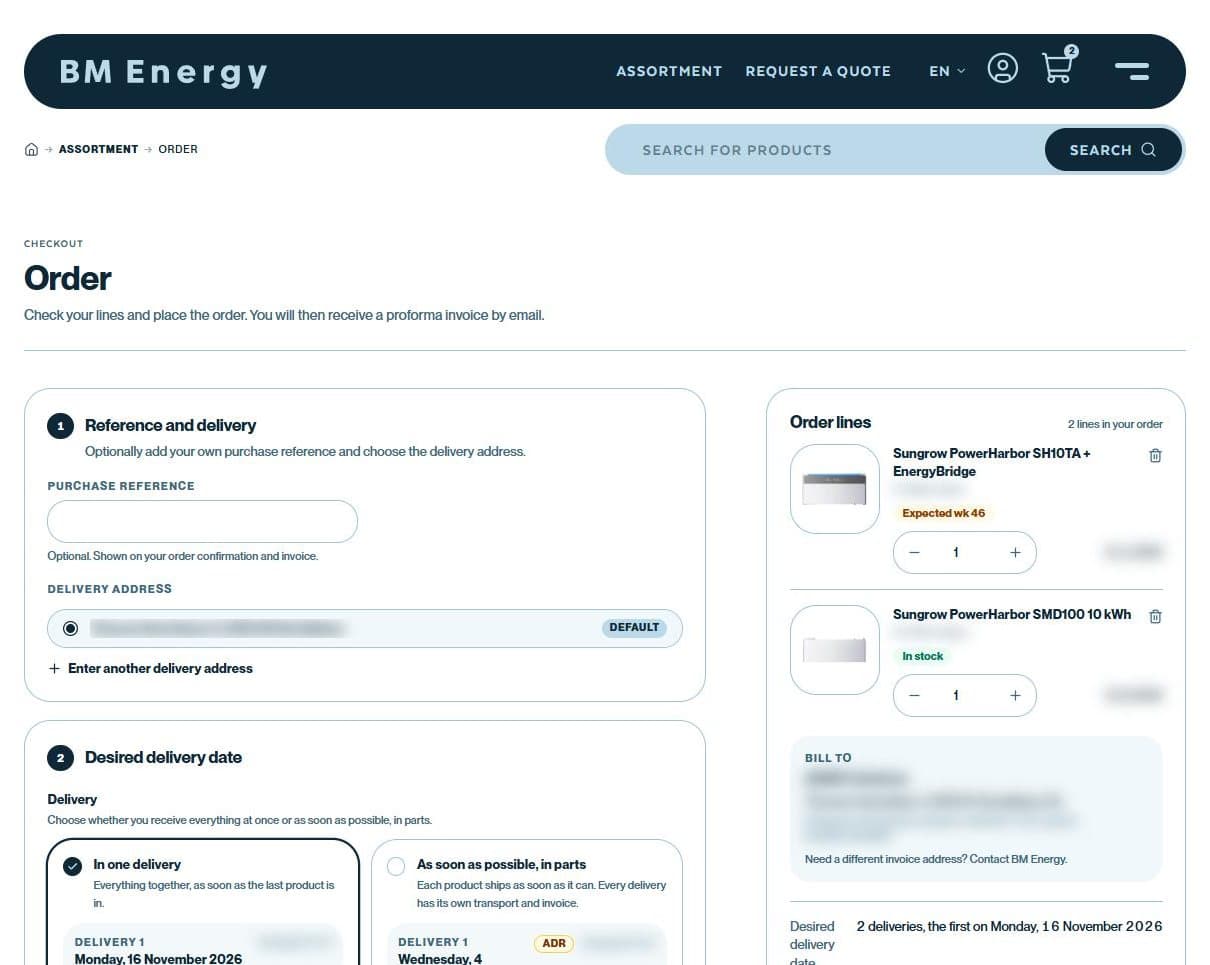
Purchase reference, delivery address and order lines Delivery and delivery date
Choose whether you receive everything in one delivery or as soon as possible in parts. Then select your preferred delivery date and time slot. Transport costs and the total are shown right away in the overview. After placing the order you pay the proforma invoice by bank transfer; as soon as the payment is in, we schedule the delivery.
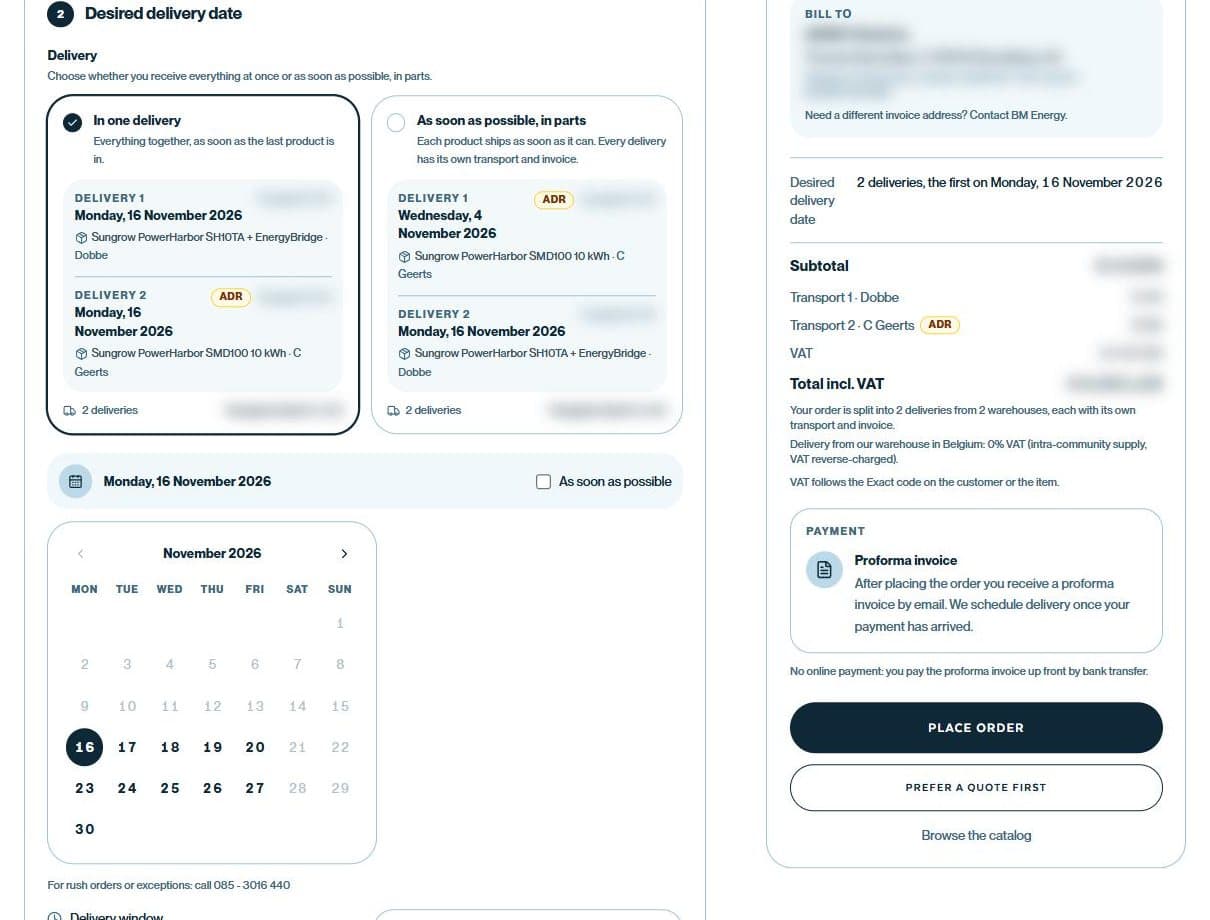
One delivery or in parts, with preferred date and time slot Putting together a quote
Prefer a quote first? Under Request a quote you put products together, also from your basket or a project list. If something is not listed, you add it as a free line. We check price, stock and transport and send you the quote.
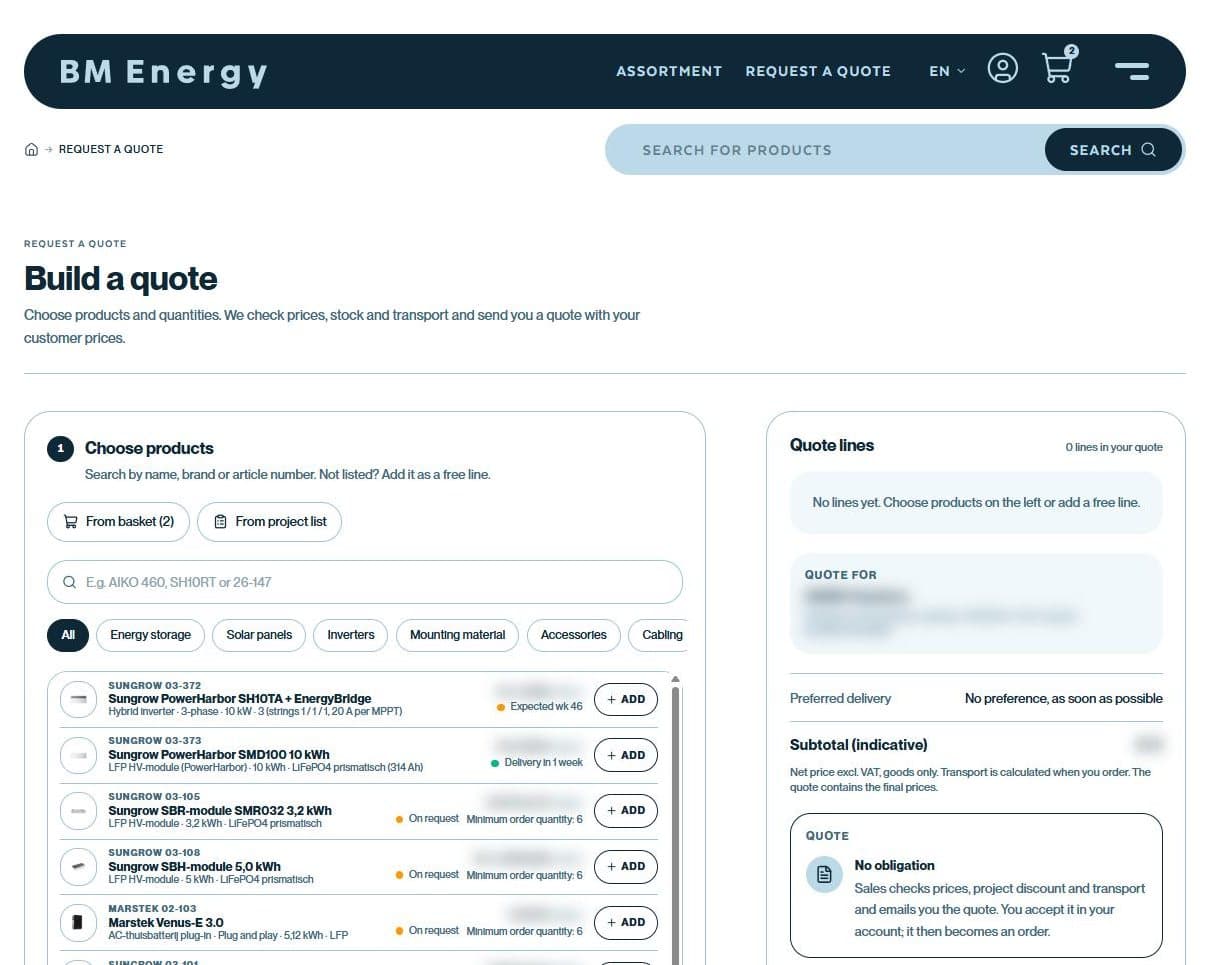
No obligation: you can accept it later in your account Your account
Under My account you find your quotes, documents (invoices, proformas and packing slips), your wishlist, project lists and delivery addresses. You download your personal price list here as Excel.
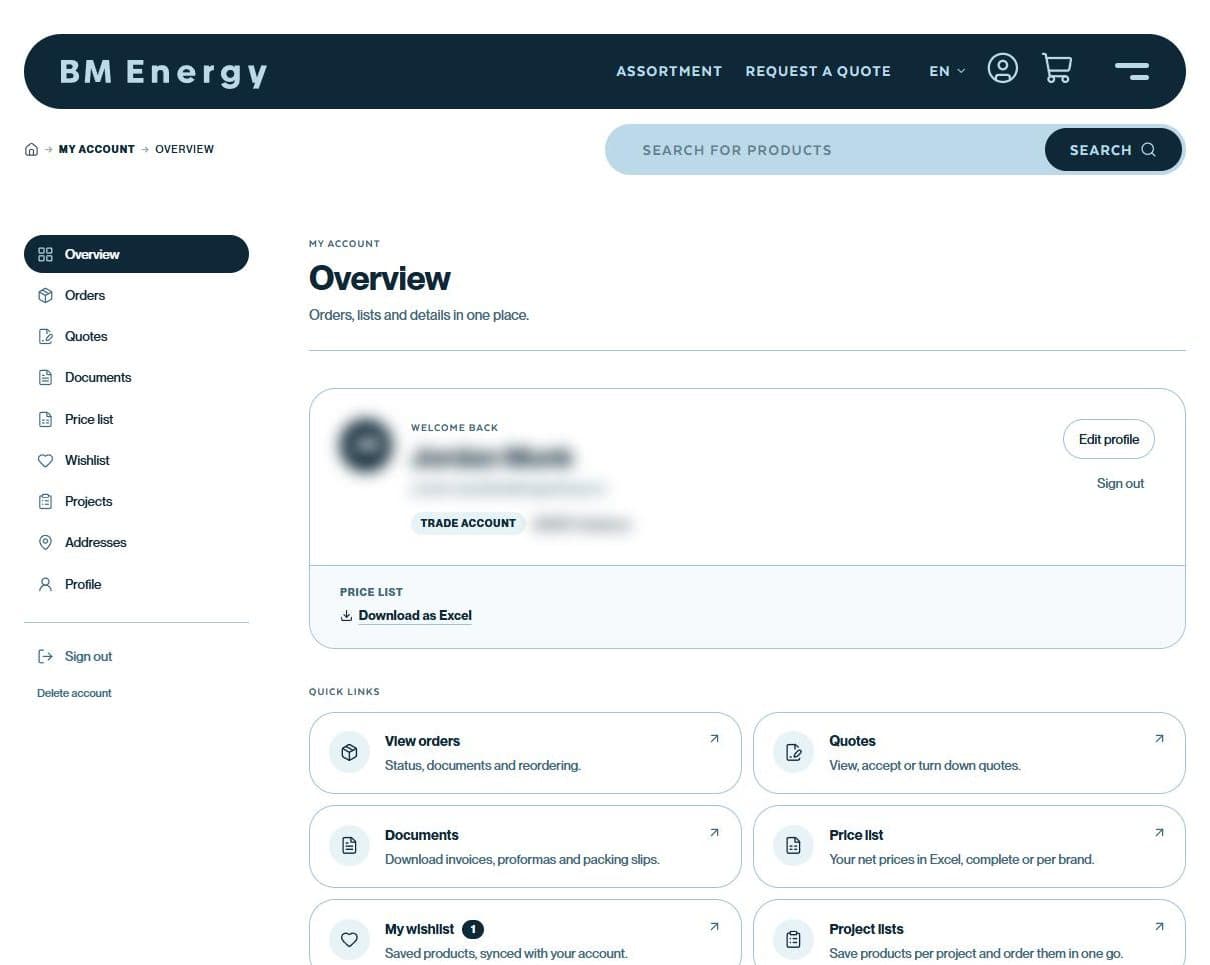
Everything for your company in one place Tracking orders and reordering
Under Orders you see the status and delivery of every order. From a previous order you put the same products back in your basket with one click.
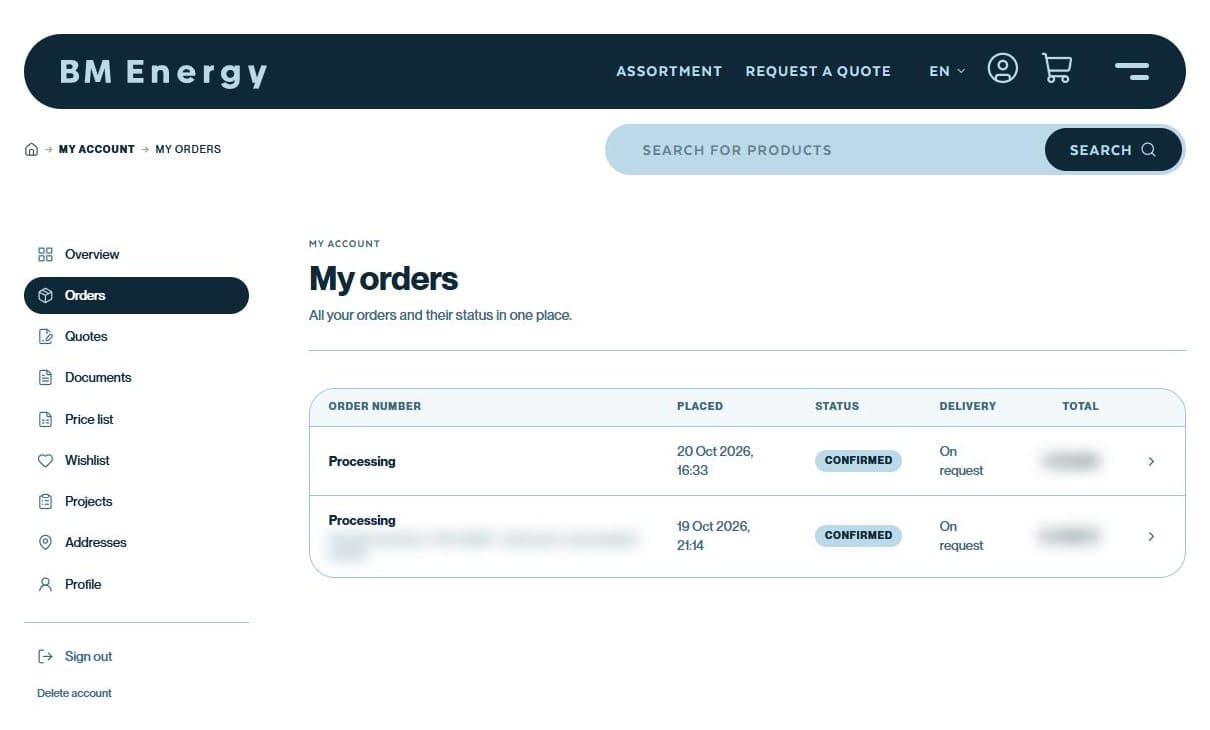
Status, delivery and total per order
Good to know
Prices and stock after signing in
You always see your own net prices, excluding VAT.
Availability at a glance
In stock, expected in a given week or on request.
Project lists
Save products per project and order them later in one go.
Price list in Excel
Complete or per brand, to download from your account.
QUESTIONS OR NEED HELP?
We are happy to help
About a product, a combination or a larger order: our advisers help you on working days from 09:00 to 17:00.
CALL
085 - 3016 440